


❋
Midtown
Crossing
Customer Information Portal
Project Timeline 2026
CURRENT PROJECT:
BUILDING #4 & #3
BUILDING
Building 5
Building 4
Building 3
Estimated Start Date
Monday, March 2
Wednesday, April 1
Friday, May 1
Estimated Completion
Wednesday, April 8th
Thursday, April 30
Friday, May 29

UNIFI ACCESS CONTROL SYSTEM
OWNER USER ADD REQUEST
Fill out the form below to add family members, spouses, partners, etc to create an "Approved User” to your building’s Access Control System at Midtown Crossing
IDENTITY ENDPOINT APP
Download the IDENTITY ENDPOINT app to your device by clicking on the appropriate link below.
HOW TO CREATE A VISITOR
From the Unifi Identity Endpoint App
Frequently Asked Questions
-
You may:
Send a temporary access credential (time-limited)
Meet guests at the door
Use the directory/call system (if installed)
-
The new system improves security, accountability, and flexibility. It allows controlled access by user type, real-time activity logging, faster credential changes, and better integration with cameras and alerts.
-
You will transition from physical fobs/cards to:
Smartphone-based access (primary method)
Optional backup credentials (PIN code, or keycard, fob if requested)
-
You will:
Receive an invitation from building management
Download the UniFi Access mobile app
Log in and activate your credentials
Test access at designated entry points
(We will provide step-by-step onboarding instructions separately.)
-
There will be a transition window during which both systems may operate. After that date, legacy fobs/cards will be deactivated.
-
No. While smartphones are the default, you may request:
A PIN code (Recommended backup)
A keycard or fob
-
You will be issued an alternative credential (card or fob) at no disadvantage.
-
Try:
Turning Bluetooth ON
Restarting the app
Logging out and back in
Restarting your phone
-
Reinstall the app
Log in with your existing account
Reauthorize access if prompted
-
Depending on configuration, you may:
Tap your phone near a reader (NFC/Bluetooth)
Use the app to unlock doors
Use facial recognition (if enabled and approved)
Tap your phone near a reader (NFC/Bluetooth)
Use the app to unlock doors
Use facial recognition (if enabled and approved)
-
Garage entry will be integrated into the system using:
Mobile access
Optional remotes or license plate recognition (if implemented)
-
Once set up:
Open the app and tap to unlock
orUse Bluetooth/NFC (depending on your phone and setup)
-
Some doors may allow hands-free access depending on configuration, but most require interaction with the app.
-
This depends on building policy. Contact management if you need a physical credential.
-
The new system goes live on the scheduled activation date provided in your communication.
-
If you do not complete setup before the go-live date:
👉 You will not be able to access building doorsYou will need to contact building management ASAP
-
No. Access is assigned individually for security reasons.
-
Guest access may be available in the future, depending on building policy. This is done by creating a “visitor” inside the Identity Endpoint app.
-
Yes. Multiple credentials can be assigned to a single resident.
-
In most cases, no. Credentials are stored locally on your device and communicate directly with the reader.
-
Yes. Time-restricted credentials can be assigned (e.g., Tuesdays 10am–2pm).
BUILDING #5
COMPLETED
START
END
BUILDING #4
Phase 1:
Communicate to all residents about installation work and the CTS team being on site as well as expectations
Install Network equipment in the IT closet and verify network cables
Phase 2:
Install new cameras
Install new WIFI access points
Install view stations at concierge desk
Phase 3:
Integrate all current residents into new system database and setup credentials
Host an on-site assistance event
Change out Keypads at all doors and Elevators
“Go Live” day - all systems will be live and funtional
START
END
BUILDING #3
Phase 1:
Communicate to all residents about installation work and the CTS team being on site as well as expectations
Install Network equipment in the IT closet and verify network cables
Phase 2:
Install new cameras
Install new WIFI access points
Install view stations at concierge desk
Phase 3:
Integrate all current residents into new system database and setup credentials
Host an on-site assistance event
Change out Keypads at all doors and Elevators
“Go Live” day - all systems will be live and funtional
TECHNICAL DEVICE INFORMATION
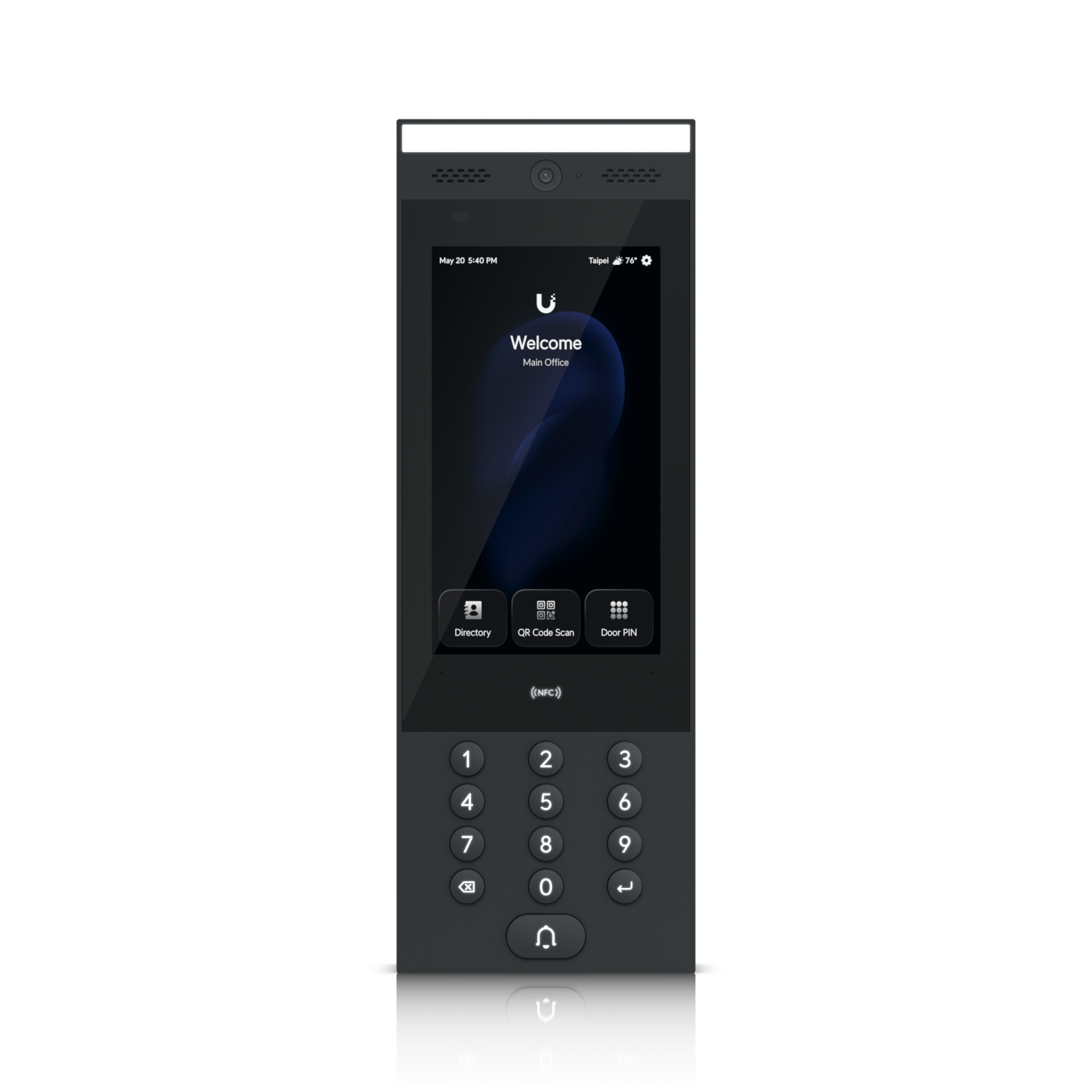
Main entry keypads used at all entrances for residence.
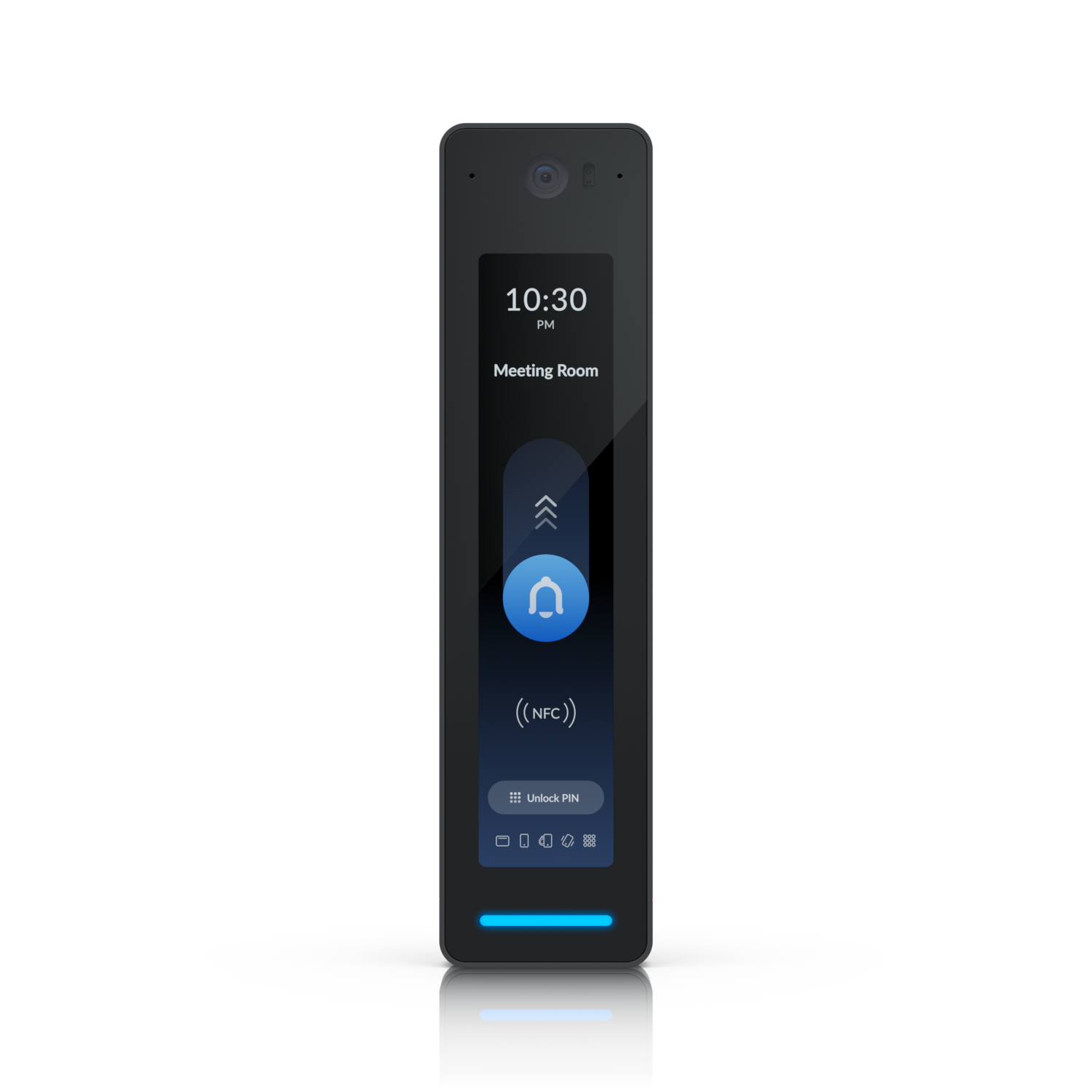
Secondary entrances and elevator keypads
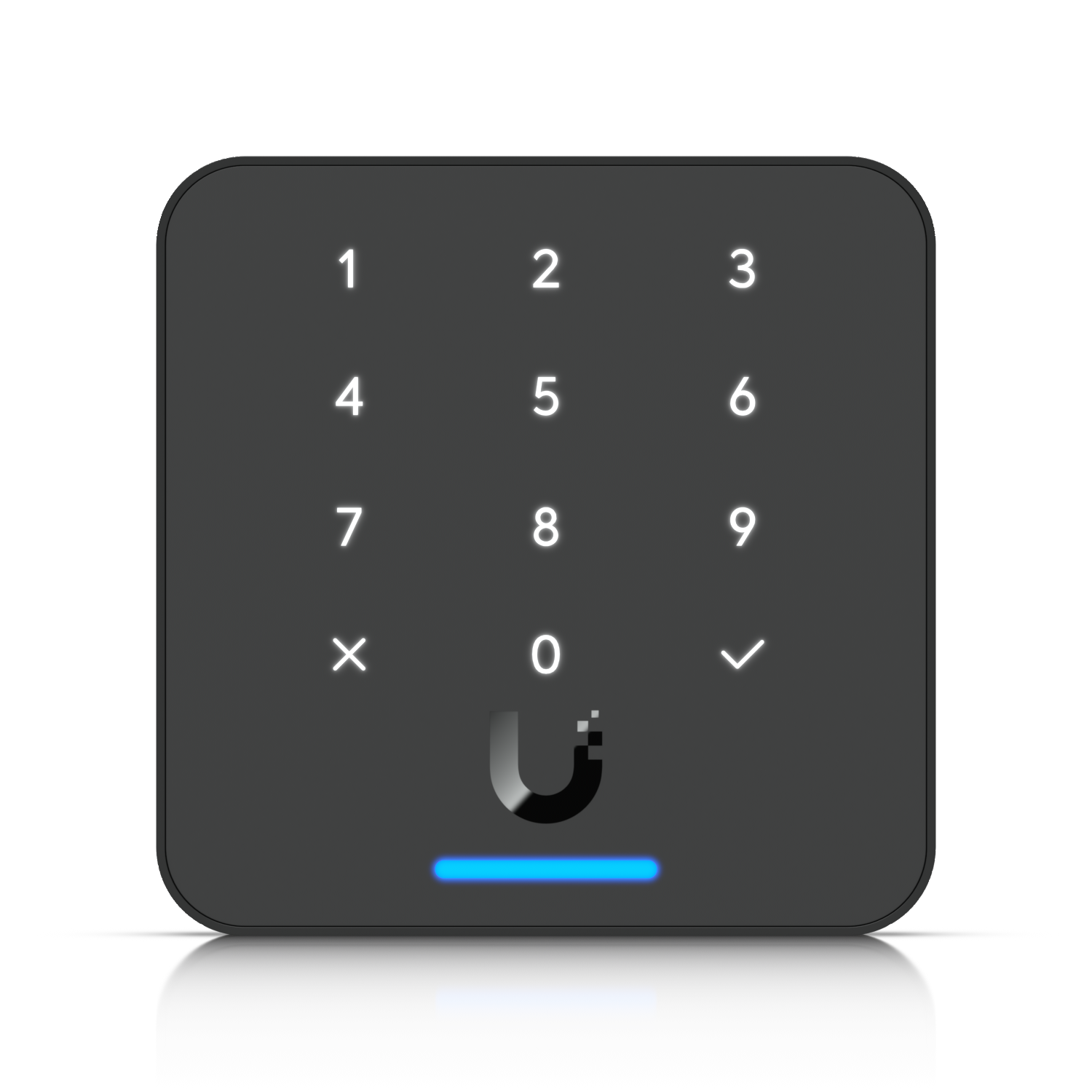
Utility and Service entrances keypads